Guide
Back to GuidesHow to Cast Reezn to Your TV with Chromecast
Cast Reezn to your TV in minutes: requirements, step-by-step setup, fixing a TV that will not appear, and tips for smooth playback.
What you need
Casting from the Reezn APK needs three things on the same Wi-Fi network: your phone with the app installed, a Chromecast-compatible TV or dongle, and a video file the phone can decode. No account, no extra app.
Step-by-step casting
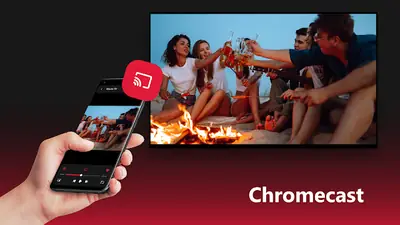
Start playing the video on your phone first. Then tap the cast icon in the player (the rectangle with radiating waves) and pick your TV from the list. Playback moves to the big screen within a few seconds, and your phone becomes the remote: pause, seek, volume, and subtitle toggles all keep working.
To change what is playing, just start another file on the phone. The TV follows. Your phone screen can even turn off; the app keeps the stream running.
If your TV does not appear
This is almost always the network, not the app. Confirm both devices are on the same Wi-Fi band (a phone on 5 GHz and a TV on 2.4 GHz with client isolation enabled will not see each other). Restart the TV's network connection, then force-stop and reopen the app. The latest build retries the handshake automatically, so give it ten seconds before concluding it failed.
Tips for smooth playback
Cast 1080p rather than 4K unless your network is solid; the visual difference at TV distance is small and the stability difference is large. Keep the phone charged or plugged in, since it is doing the decoding work. If audio drifts out of sync on the TV, pause for two seconds and resume: the buffer resyncs.
Stopping the cast
Tap the cast icon again and choose Disconnect, or just stop playback. The TV returns to its idle screen. For the big-screen setup that skips casting entirely, the Android TV guide walks through sideloading the app directly onto the television. Prefer pulling files from a home server instead? Network streaming with Reezn covers that route.
New to the app entirely? Start at the Reezn APK download page to get the current build first.
Casting is one of those features that sells this player in a single demo: start a movie on the phone, throw it to the TV, and hand the remote to nobody.
Quick answers
Do my phone and TV need the same Wi-Fi?
Yes. Casting discovery only works when both devices are on the same local network.
Does casting drain the phone battery?
Moderately, since the phone decodes the video. Keep it plugged in for long movies.
Can I use my phone for other things while casting?
Yes. Once the stream is handed off, the phone works as a remote and you can switch apps.